

PDF to Quiz Generator by iWeaver
Turn PDFs, lecture notes, slides, and study documents into clear practice quizzes. iWeaver helps students, educators, trainers, and professionals create questions, check understanding, and review key knowledge faster.
How to Use PDF to Quiz in iWeaver
Upload PDF
Add your PDF, notes, slides, or study document to iWeaver. Use class materials, reports, manuals, readings, or review packets as the quiz source.
Generate Quiz
Ask iWeaver to create quiz questions from the file. Choose the focus, question style, difficulty, or section you want to review first.
Review Answers
Check answers, request explanations, and identify weak areas. Turn confusing parts into notes, summaries, or follow-up questions for deeper study.
Why Choose iWeaver for PDF to Quiz?
More Context
iWeaver works with uploaded documents and surrounding knowledge, helping users generate questions that reflect the real material instead of isolated prompts.
Better Review
Users can move beyond answers. iWeaver supports follow-up explanations, summaries, and study notes to make difficult ideas easier to revisit.
Faster Creation
Turn long PDFs into usable quizzes quickly, saving time for students, teachers, trainers, and teams who need repeatable assessment materials.
Flexible Study
Use iWeaver for practice questions, review prompts, test preparation, knowledge checks, and document-based learning across different subjects and industries.
One Workspace
Keep PDFs, generated quizzes, summaries, answers, and notes together in iWeaver, so learning materials remain organized and searchable over time.
PDF to Quiz Use Cases

Exam Prep
Students can upload lecture slides, textbook chapters, study guides, or class notes and turn them into practice quizzes. iWeaver helps make passive reading more active, so learners can test recall, review mistakes, and focus on concepts that need more attention before exams.
Try Now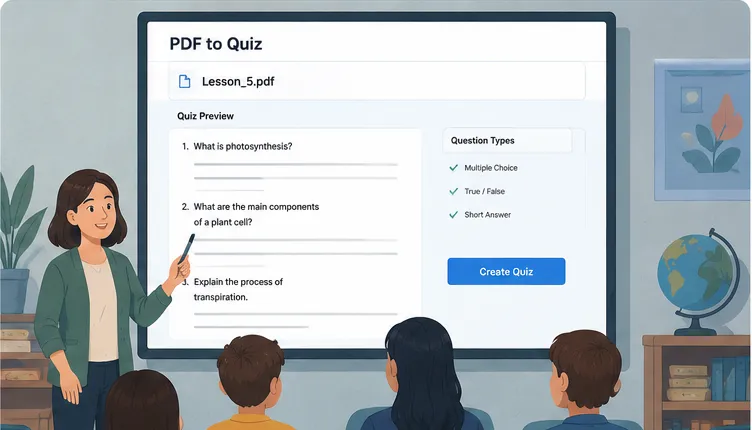
Class Teaching
Educators can create quizzes from lesson plans, PDFs, handouts, or reading materials without writing every question from scratch. iWeaver helps teachers prepare warm-up questions, chapter reviews, homework checks, and classroom discussion prompts based on existing course content.
Try Now
Employee Training
Training teams can turn onboarding manuals, SOPs, compliance documents, and product guides into knowledge checks. iWeaver helps teams confirm whether employees understand key policies, workflows, product details, and operational requirements after reading training materials.
Try Now
Self Learning
Independent learners can upload research papers, online resources, technical documents, or saved PDFs and generate questions for structured review. iWeaver helps turn long reading sessions into a more focused learning loop with quiz practice, explanations, and reusable notes.
Try NowFrequently asked questions
Turn Your PDF into a Practice Quiz
Upload your PDF to iWeaver and create quiz questions, answers, explanations, and review materials from the documents you already use.
Try iWeaver