

Convert PDFs to Mind Map with iWeaver AI
AI mind map generator: upload multiple PDFs, extract key ideas, and transform files into mind maps in seconds—free and easy.
How to Convert PDFs to Mind Maps with AI?
Upload One or More PDFs
Upload single or multiple PDF files—whether academic papers, business reports, manuals, or eBooks.
Convert PDFs to Text and Summarize Instantly
AI quickly analyzes each file, extracts key points, and identifies relationships between concepts.
Create Mind Maps from PDF Documents
Generate a structured mind map and PDF summary—ideal for quick learning, review, or sharing.
Why Use iWeaver’s Free PDF to Mind Map Generator?
Batch Upload & Multi-File Processing
No more tedious sorting! Upload one or multiple PDFs at once, and iWeaver processes them simultaneously, generating individual mind maps for each document. Save valuable time on manual organization!
Summarize PDFs in Any Language
Transform complex PDFs into instant, concise summaries in any language. This removes linguistic barriers, dramatically speeding up comprehension and supporting global, faster decision-making.
Generate Personalized Mind Map
Instantly transform complex PDFs into a personalized, editable knowledge structure with our free AI mind map generator. Visualize key insights, edit nodes, and build customized knowledge quickly.
AI-Powered Concept Extraction
iWeaver’s AI doesn’t just extract raw text—it analyzes and understands the content within context. By identifying key topics, ideas, and relationships, iWeaver ensures that each mind map highlights the most relevant and impactful information, enhancing your understanding and decision-making.
Conversational AI for Task-Oriented Interaction
iWeaver goes beyond simple summaries with a conversational AI that helps you complete tasks efficiently. Whether you need to break down complex topics, generate outlines, or extract key insights, just ask—iWeaver responds in real time to guide your workflow through intelligent, goal-driven dialogue.
Use Cases for PDF to Mind Map Tool

Financial Analysts & Investment Advisors
Streamline your financial analysis with iWeaver’s PDF to Mind Map tool. Convert complex financial reports, market trends, and investment analyses into clear, structured mind maps, making it easier to identify key data points and investment opportunities. Perfect for improving decision-making efficiency in financial analysis and portfolio management.
Mapping a financial report
Academic Researchers & Students
Overwhelmed by academic papers? iWeaver transforms dense research papers and literature reviews into structured mind maps, helping you quickly identify key theories, methodologies, and findings. This makes organizing research for papers, presentations, or academic projects much easier.
Create a research map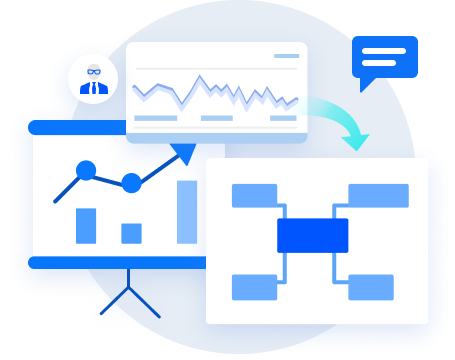
Business Consultants & Strategy Analysts
iWeaver helps business consultants quickly convert strategic plans and market research into mind maps, clarifying goals, strategies, and action plans. This tool is ideal for visualizing complex business data and improving client presentations and strategic decision-making.
Visualizing a strategic plan
Business Executives & Team Leaders
PDF to Mind Map Tool helps you turn project plans and meeting notes into intuitive mind maps, making it easy to track tasks, priorities, and deadlines. Whether managing multiple projects or coordinating team goals, AI mind map maker improves project management and keeps everyone aligned in fast-paced business environments.
Organize a project plan